
Watch your AI agents work.Step in when it matters.
Sulcus shows each run step by step: what your agent called, how long it took and where it went wrong.
Free during early access.
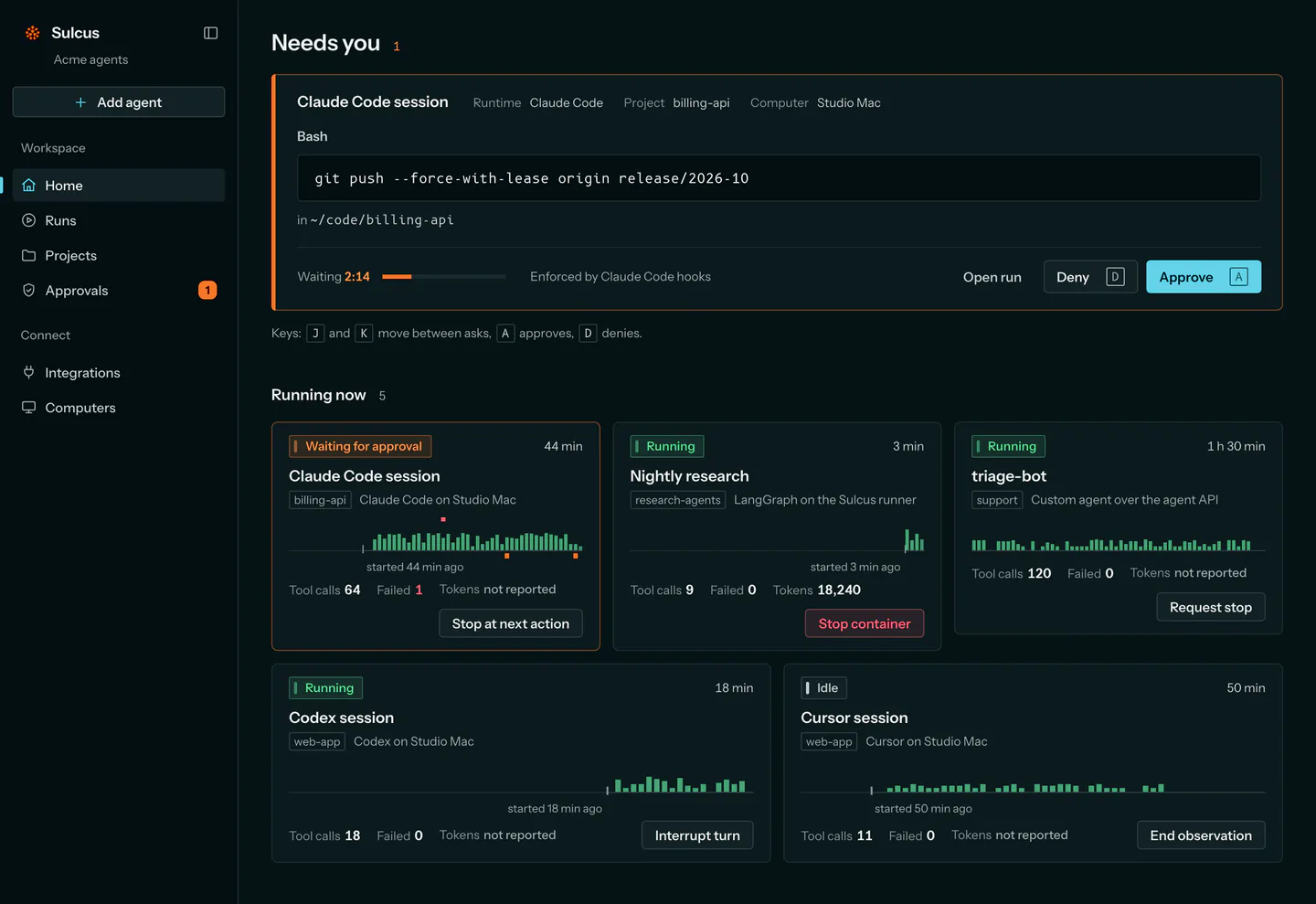
More than a trace.
Tracing shows what an agent did. Sulcus also lets you act while it runs.
See it
Agents, steps, model calls and tool calls, in the order they happened.
Step in
Stop a hosted run, or give it a token limit.
Look back
Every run keeps its history, so you can see what happened and where it failed.
When an agent asks, you decide.
Claude Code, Codex and your own agents can wait for your answer before they act. Sulcus never approves for you.
Bring the agent you already have.
Run a Python agent on Sulcus, or connect one that already runs somewhere else.
- LangGraph
- CrewAI
- OpenAI Agents SDK
- Google ADK
- Claude Code
- Codex
- Cursor
- Microsoft Copilot Studio
- Your own agent
No agent yet? Try ours.
Our LangGraph demo is slow on purpose and needs no API key. Run it, watch it, stop it, or let a token limit end it.
Open the demo on GitHubSee your own agent in Sulcus.
Sign up, point Sulcus at your agent and watch its next run.
Get startedQuestions first? Email support@sulcus.dev.